App Settings
Clicking the gear icon at the top-right of the application will display the application settings modal.
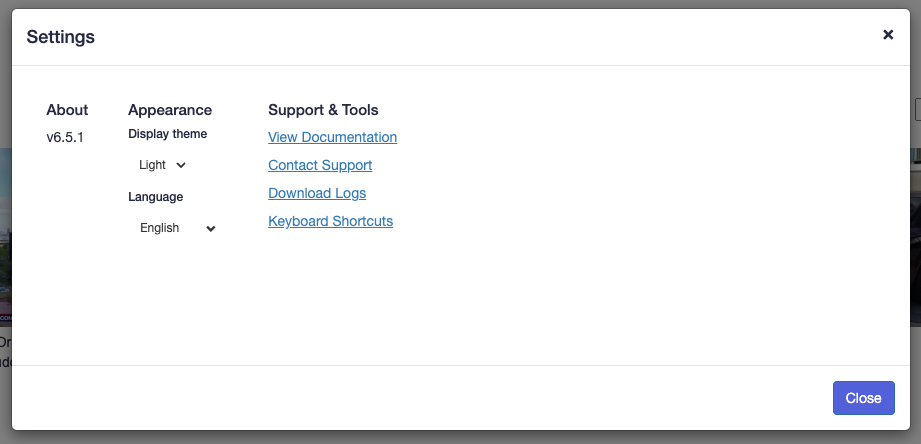
About
Shows which version of Redactor is currently running.
Appearance
Display Theme: Select between light or dark modes.
Language: Specify the language that is used for the text displayed in Redactor.
Support & Tools
View Documentation: The link will open a browser to this documentation website.
Contact Support: To open a support ticket, click this link and follow the instructions to complete the form.
Download Logs: If you are running Redactor Desktop or are an Admin on Redactor Server, clicking this link will create a zip file that contains all of the application logs. These are helpful when requesting support or trying to figure out any issues with the application.
Keyboard Shortcuts: Opens a modal that displays the keyboard shortcuts that are currently available when editing videos.
Expert Options: For admins and desktop users, this is a convenient way to override configuration which formerly was only possible via the REDACTOR_... environment variables. Also a great spot to get aware about all everything which can be tweaked in Redactor. If environment variables have already been set they will be superseded by the expert options. Note that most changes require a restart. Also please apply such options with care. Individual changes can be reset in the dialog, in case changes cause issues for whatever reason, simply delete the env.json file in the application data directory.